ServerZoo Data Center Overview: From Locations and Connectivity to Equipment Maintenance
When choosing a data center, start with where your customers are, then consider how your website needs to operate. ServerZoo deploys and manages its own equipment in leased data center space to provide hosting in Taiwan and overseas. Here, we bring together regional options, infrastructure details, and the information you need to prepare before deployment.

Choose a Data Center Location Based on Your Visitors
Users of corporate websites, e-commerce sites, and internal systems are not necessarily in the same location. Along with visitors, consider the locations of databases, external services, and administrators to keep frequently used connection paths simpler.
Taiwan | Chunghwa Telecom Data Center
For official websites, online stores, and business systems primarily serving customers in Taiwan, start by comparing deployment options in Taiwan. Choose shared hosting, a VPS, a dedicated server, or colocation for your own equipment based on your application environment and management needs.
United States | Equinix Los Angeles
Websites primarily serving US customers, or serving both Taiwan and North America, can consider deployment in the US. For cross-border connectivity, we recommend testing from the networks your visitors actually use and considering the locations of your databases and third-party services as well.
Asia and Europe | Choose Based on Your Market
Compare services in Hong Kong, Singapore, Japan, the UK, and other locations based on your market and application needs. If you need a specific operating system, hardware, or network connection, first confirm which plans are available in the relevant location.
What to Look for in Data Center Infrastructure
Power and Redundancy: Review the Entire Power Supply Path
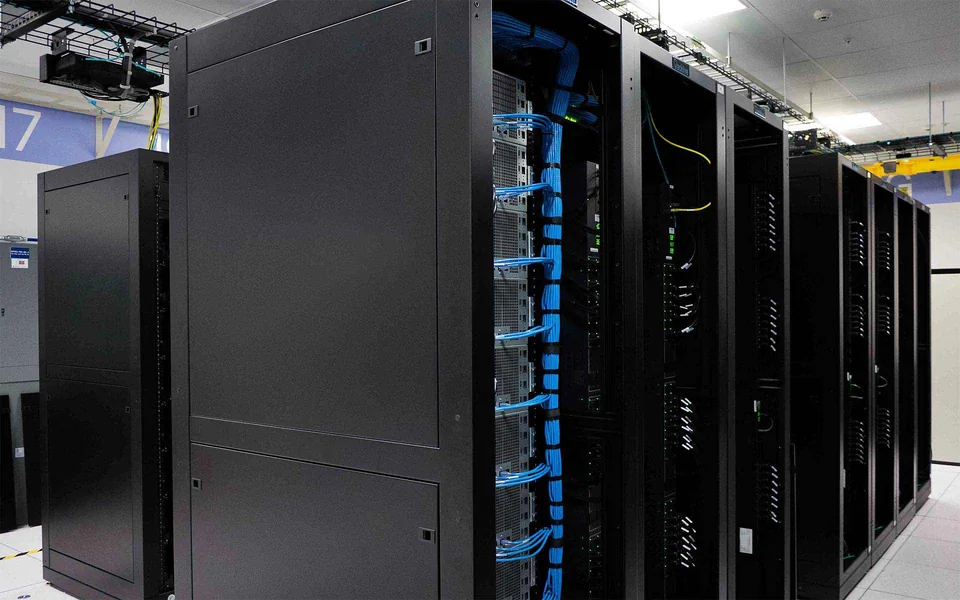
A UPS provides bridging power during a utility power outage, while generators supply power for longer periods. If you bring equipment with dual power supplies, confirm the available circuits and cabling arrangements. Also list typical and peak power consumption to help assess rack capacity.
Access Control and Maintenance: Decide Who Can Access the Equipment First
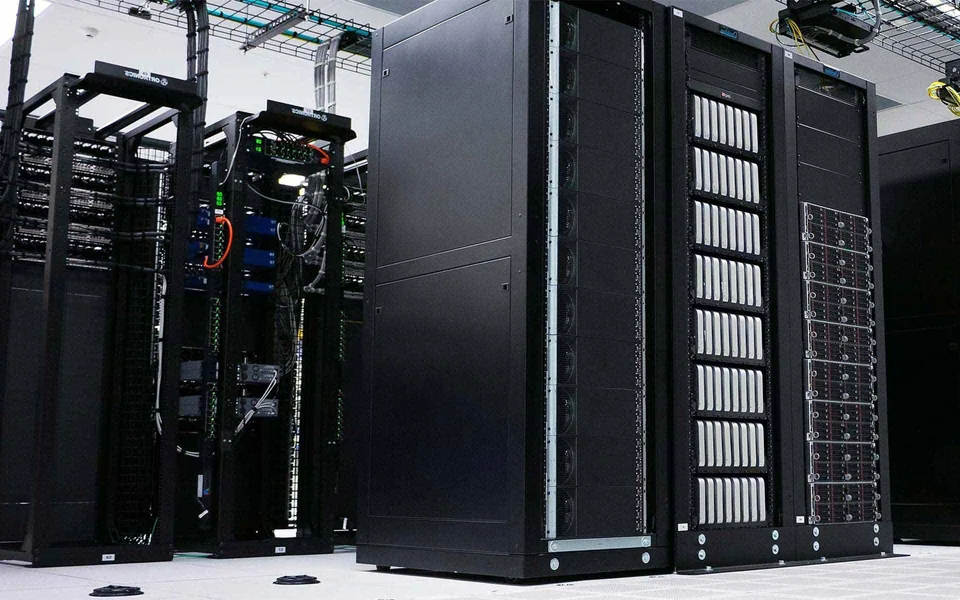
Equipment delivery, on-site maintenance and parts replacement all require authorization and records. Before shipping equipment, confirm the site access application process, receiving contact and arrangements for on-site assistance, so you can reach the right person directly when an unexpected reboot or drive replacement is needed.
Networking and Routing: Include Your Main Customer Locations in Testing
Consider bandwidth capacity, external routing, and connectivity between networks together. If you need a static IP, additional IP addresses, or a specific network interface, specify these requirements when requesting a quote. For website speed tests, choose a test location close to your primary visitors whenever possible.
Cooling and Monitoring: Discuss High-Power Equipment in Advance
Data centers require ongoing management of cooling, temperature, humidity, and the equipment environment. For high-density servers or GPU equipment, provide power consumption and heat dissipation details in advance to confirm that the rack can support your requirements. Available rack space does not necessarily mean sufficient power and cooling capacity are available.
Public Information from Data Center Operators:Chunghwa Telecom IDC Data Center Services Equinix Los Angeles Data Center
The information above provides an overview of data center infrastructure. Actual equipment specifications and available services depend on your selected location and plan.
Clear Responsibilities for Data Center Infrastructure and Equipment Maintenance
ServerZoo leases racks or space from data center operators to deploy its own network equipment and servers. The data center operator manages the building, power, cooling and access control. ServerZoo manages the equipment and hosting environment according to the selected service, and customers submit requests through a single support contact.
Hardware responsibilities differ between renting a dedicated server and colocating your own server with us. When requesting a quote, specify your needs for component repairs, system administration, on-site assistance, and backups so there are clear arrangements for future expansion and troubleshooting.
Website Code Needs Someone to Maintain It, Too
Keeping the server running properly is only part of maintaining a website. Websites also need version updates, data management, and restore testing. Designate someone familiar with your website or a maintenance provider to work with hosting support, with clear responsibilities for application, server, and network issues.
Prepare This Checklist Before Sending Equipment or Requesting a Quote
- Equipment and Accessories
- Equipment models, quantities, rack height and depth, weight, rails, and any network equipment to be installed in the rack alongside them.
- Power and Cooling
- Typical and peak power consumption, number of power supplies, voltage and plug specifications; include cooling requirements for high-power equipment such as GPUs.
- Network and IP
- Interface speed, estimated bandwidth and data transfer, the number of IP addresses required, and primary connection regions or special network connection requirements.
- Management and On-Site Assistance
- Who manages the system, who supplies replacement parts if equipment fails, which tasks require on-site assistance, and how to contact the responsible parties in an emergency.
- Timing and Migration
- Planned equipment delivery time, data migration method, acceptable maintenance windows, and dates for testing and production cutover.
Understand these common specifications before comparing options
Rack Height U
U is used to describe the height of rack-mounted equipment. When planning rack space, also confirm the depth, weight, and rails to ensure the equipment fits and can be securely installed.
Power W/kW
This is power draw, which differs from cumulative monthly energy consumption. Providing actual or estimated equipment power consumption is more useful for capacity planning than listing only the wattage rating on the power supply.
Bandwidth Mbps/Gbps
This is the data transfer rate; monthly data transfer in GB/TB refers to the volume of data transferred. Check the network interface speed, the bandwidth available with the plan and the monthly data transfer allowance separately.
N+1 / 2N Redundancy
N is the capacity required for operation; N+1 adds a backup unit, while 2N provides two sets of the required capacity. You should also understand whether redundancy covers power, cooling or other components, as well as the actual cabling arrangements.
Data Center and Colocation FAQ
Clarify these questions before choosing a location, renting a server, or preparing to send in your hardware.
Does ServerZoo own the datacenter building or lease rack space?
ServerZoo leases racks or space from datacenter operators and deploys and manages its own network equipment and servers. The operator manages the building, power and infrastructure; responsibilities follow the plan.
Compare location, equipment management and incident-response contacts.
How does colocation differ from renting a dedicated server?
Colocation places your own hardware in a datacenter with the agreed rack space, power and network. A dedicated-server plan rents a complete server supplied by ServerZoo.
For a quotation, provide equipment dimensions, quantity, power and network needs and confirm maintenance, access and on-site assistance.
Discuss your needs with supportDoes a data center closer to your customers always mean a faster website?
Distance is only one factor. Routing between networks, website code, database queries, and image sizes all affect the user experience. Test your website on the networks your primary audience uses, then compare hosting environments alongside those results.
If your website and database are in different regions, it is also worth testing round-trip latency for frequent queries in advance.
Check Website Speed and Identify ImprovementsHow should I plan backup and recovery for a critical website?
First, decide how much data loss you can tolerate in terms of time and how quickly service must be restored. Then plan your backup frequency, off-site copies, and recovery procedures. For e-commerce sites, include both databases and uploaded files in the same recovery plan.
Regularly perform a test restore to confirm your backups work; power and network redundancy cannot recover accidentally deleted data.
Discuss Backup and Maintenance NeedsShould my website and database be hosted in the same region?
For websites that frequently read from and write to a database, deploying both in the same region generally makes connection latency easier to manage. For cross-region redundancy, plan synchronization and failover separately, and verify data consistency and maintenance procedures.
What information is needed for a colocation quotation?
Provide equipment models, quantity, rack dimensions, expected power use, network interfaces, bandwidth and the planned installation date. Confirm rack space, power, IP addresses and maintenance arrangements before shipping equipment to avoid compatibility or scheduling problems on arrival.
Explore Taiwan colocationHow Should You Evaluate Data Center Certifications?
Check the actual site, certified items, and scope covered by each certification, then compare these with the equipment and maintenance arrangements used for the service. Specifications can vary between data centers operated by the same provider, so do not rely solely on a brand name or a certification logo.
Can I change datacenter region with a simple setting?
Not necessarily. A regional move may require a new environment, data migration, DNS changes and downtime planning. Share your current service, data size and acceptable maintenance window so support can confirm the process and any costs.
Discuss your needs with support